On this page, you'll set up how to add other users to code with you on Hugging Face!
Step 1: Create an Organization
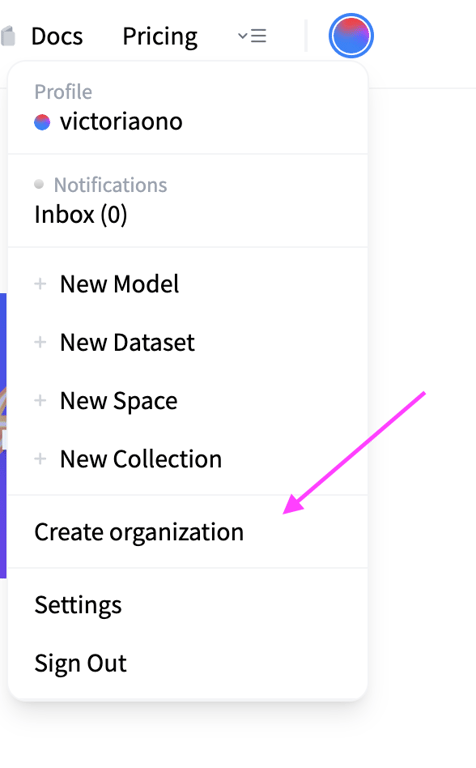
Create an organization here or by clicking on your profile icon and select the “Create organization” option. Name it after your capstone project.
Open this toggle to see a screenshot of this step!
Step 2: Add Members
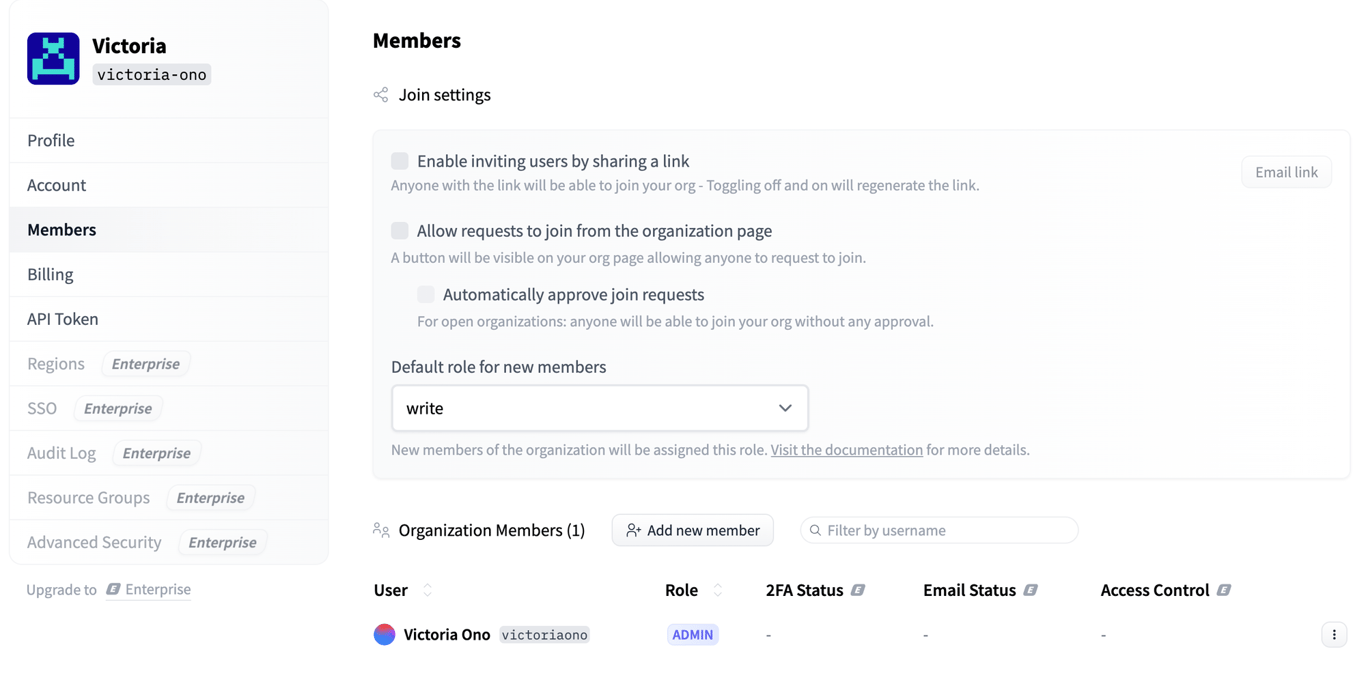
Go to the Organization settings and click Members to add new members individually or by invitation link. Add the people in your capstone project group. Make sure the role is set to
write. This means they can create, delete or rename any project in the Organization namespace.Open this toggle to see a screenshot of this step!
Step 3: Create a New Shared Space
In your Organization profile, click the New button and select Space.
Open this toggle to see a screenshot of this step!
Step 4: Collaborate on Your Project
All users in your Organization can collaborate on your shared Space! To find this Space again, click on your user icon in the top right corner, select your username and then select the Organization from the left panel. On this Organization profile, you should see your Space!
Open this toggle to see a gif of this step!
