
In this page, you may find answers for some of the common questions that have been asked this summer in AI/ML camps!
1. Why does my chatbot have asterisks and hashes in its responses?
The GPT model is trained to output its responses in the Markdown format, most commonly found when giving answers in lists like the below:
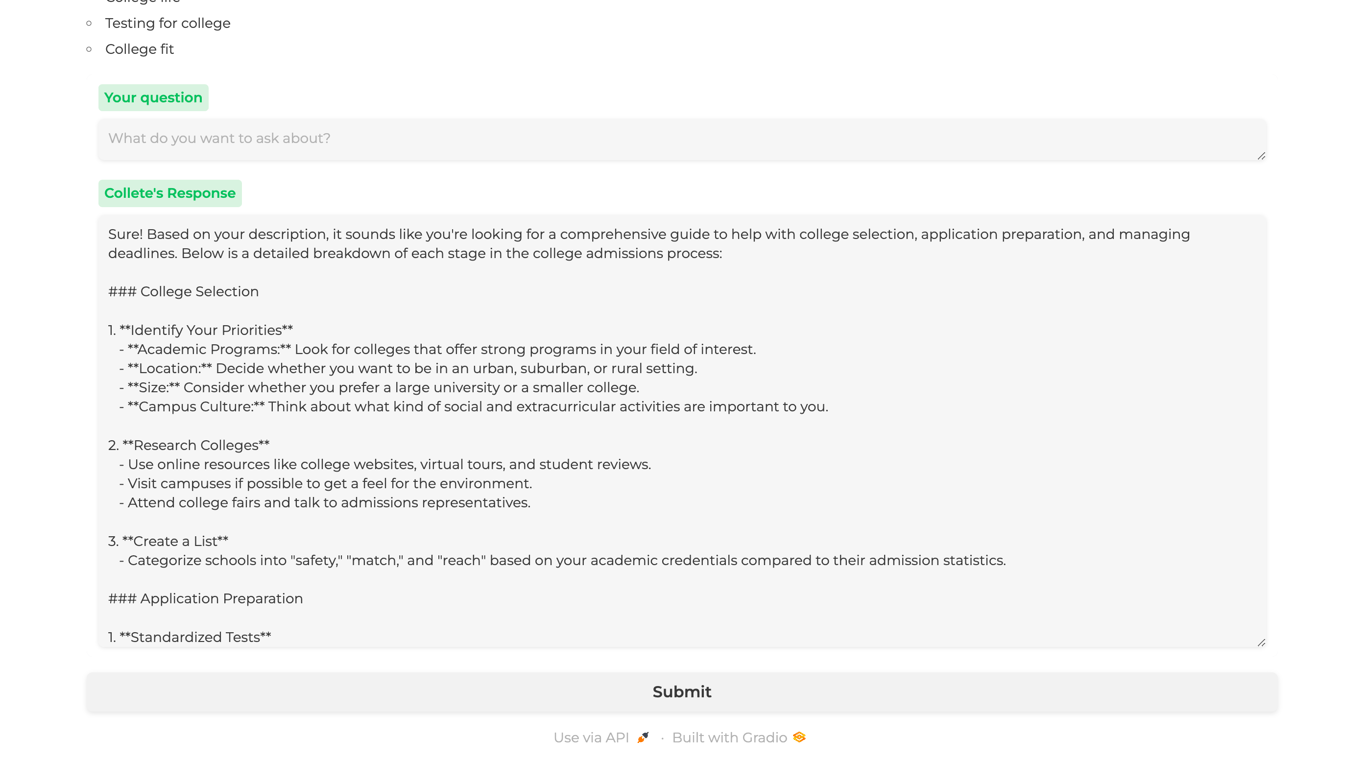
With our Gradio format, it’s sadly not possible to render the text in the Markdown format. If you do not want your chatbot to include these styling texts, try setting the initial behavior of your chatbot to give answers without this format! This can be found at the top of your app.py:
# Initial system message to set the behavior of the assistant
messages = [{"role": "system", "content": system_message}]
Append to
messages: another key-value pair of “role”: “system”, and for “content”, instead of system_message, write your own message to ask the chatbot to avoid using the format. It’s up to you how to write this message, just like how you customized system_message!Need some more help? Toggle for some syntax guidance:
messages.append({
	"role": "system",
	"content": "....."
})
2. How exactly do I format output_topic_details.txt?
If you look at the code in app.py, you might have noticed this line:
segments = [line.strip() for line in file if line.strip()]
This means that for each line in the file (aka output_topic_details.txt), we’re creating a new element in the array segments.
line.strip() trims the leading and trailing whitespaces, so if after calling this function, there is a non-empty string left (if line.strip()), we add it to segments.This means that we want to add each piece of information we want to feed into our chatbot in a single line, so that it will group it into one element and process it correctly.
3. Why isn’t my chatbot giving me the answers I want?
The most common fix would be to ensure that your train_dataset contains at least ~30 question-response pairs, and that your val_dataset also has enough relevant pairs so that your model can improve. Make sure that these files are formatted like this:
Question,GroundTruth
What is the best opening move for white?,"The best opening move for white is often considered to be 1. e4, aiming to control the center and open lines for the queen and bishop."
4. How do I reset my chat history?
Our current code is written in such a way that each user query and the chatbot’s response are added to the
messages array every time the user submits a question. While this helps keep the conversation go back and forth, it could slow the bot down. You might also just want to clear the chat history so you can start fresh. If you want to clear the chat history, you’d want to:- Clear the messages but keep the initial behavior of the chatbot
- Determine a way to tell the chatbot to clear the conversation
Can you think back to Your First Chatbot lesson and recall how you “reset” your chatbot?
Toggle for answer
We had a function called
reset() that re-initialized the chatbot! We’d want to do something similar here, aka re-initialize messages and include just the system_message (the message that determines the behavior of the chatbot).Not sure how? Toggle for the code:
def reset():
	messages = [{"role": "system", "content": system_message}]
The
system_message is defined globally in line 14, so we don’t need to redefine it.Then, you want to have a way to trigger (aka call) this function on the Gradio interface. Well, we have control over our questions…what if we have a specific keyword that tells our chatbot to clear the history? Then, in our app.py, we can have an additional conditional statement to call the function only if the user input was this specific keyword.
Toggle for hint
Look at the
query_model function!Toggle for answer
def query_model():
	# other code ...
	if question == "reset": # our chosen keyword is reset here
			reset()
			return "Welcome to ChessBot! Ask me anything about chess rules, strategies, and terminology."
	# other code...